New service | Change log
Test your integration by logging into Business Manager with the credentials your Implementation Manager has given you. You need:
- a Try API username
- a Try API password
- Go to Administration → Operations → Services. The below services will appear:

In the "Credentials" column, click on each service and enter your Try username and password credentials.
Enter
https://try.access.worldpay-bsh.securedataplatform.comas the URL.
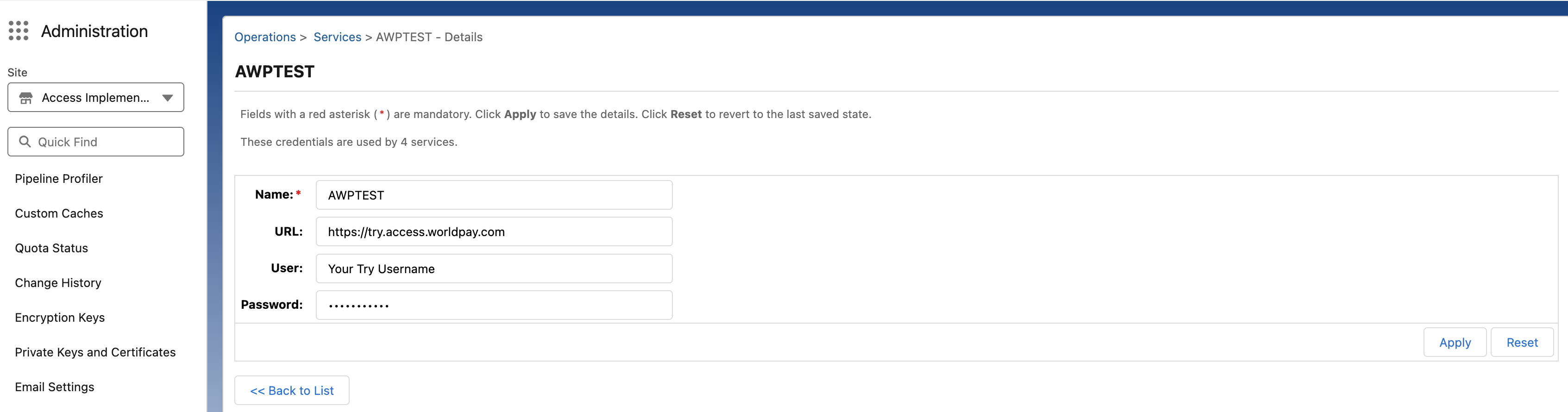
- You are now able to test taking payments in our Try environment. Find our card number test values on our HPP testing page.
These are the steps you must follow to go live with the credentials your Implementation Manager has given you. You need:
- a Live API username
- a Live API password
Log into Business Manager and go to Administration → Operations → Services.
In the "Credentials" column, click on each service and enter your Live username and password credentials.
These will be different from any other Worldpay credentials you have already.
Include the "Live" URL
https://access.worldpay-bsh.securedataplatform.comin the URL field.
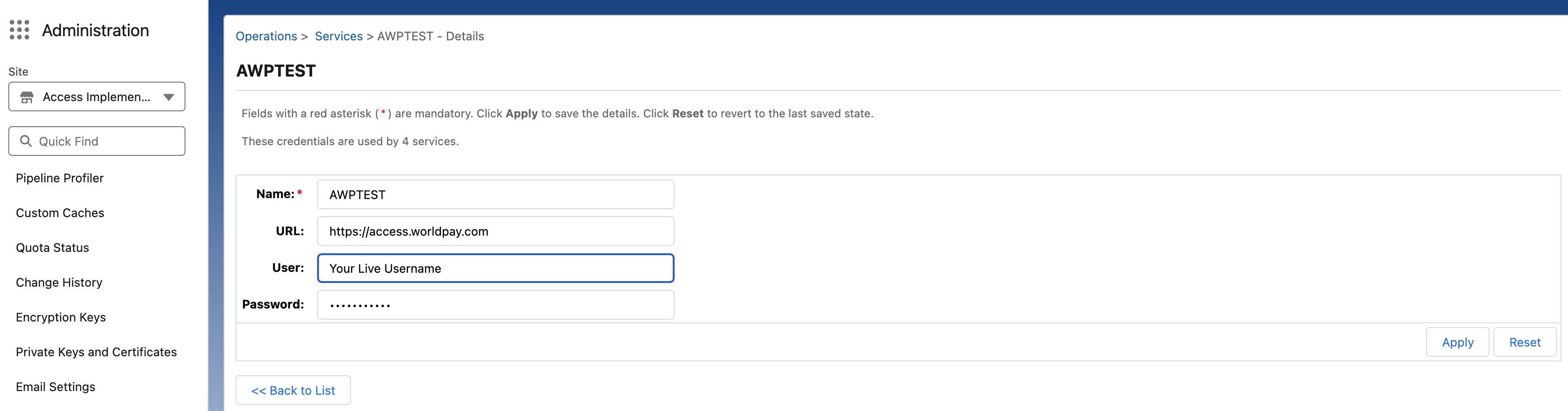
- You can now initiate a Live transaction.
Next steps