New service | Change log
The Plugin enables payments via our Hosted Payment Pages API and supports:
- Visa
- Mastercard
- Amex
- Google Pay
- Apple Pay
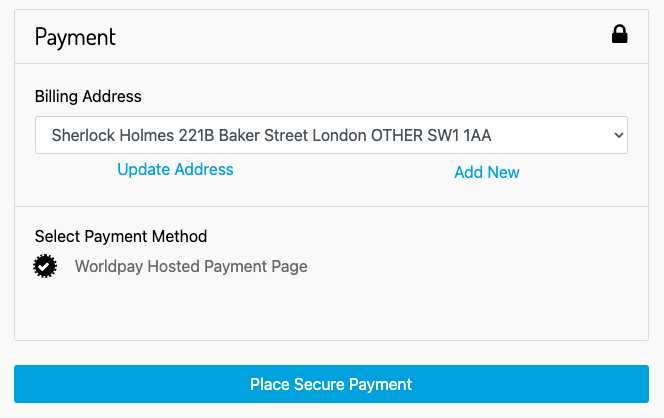
- Visiting your storefront as a guest user, your customer sees the payment section as below:
- Your customer places the order and is redirected to our Hosted Payment Page.
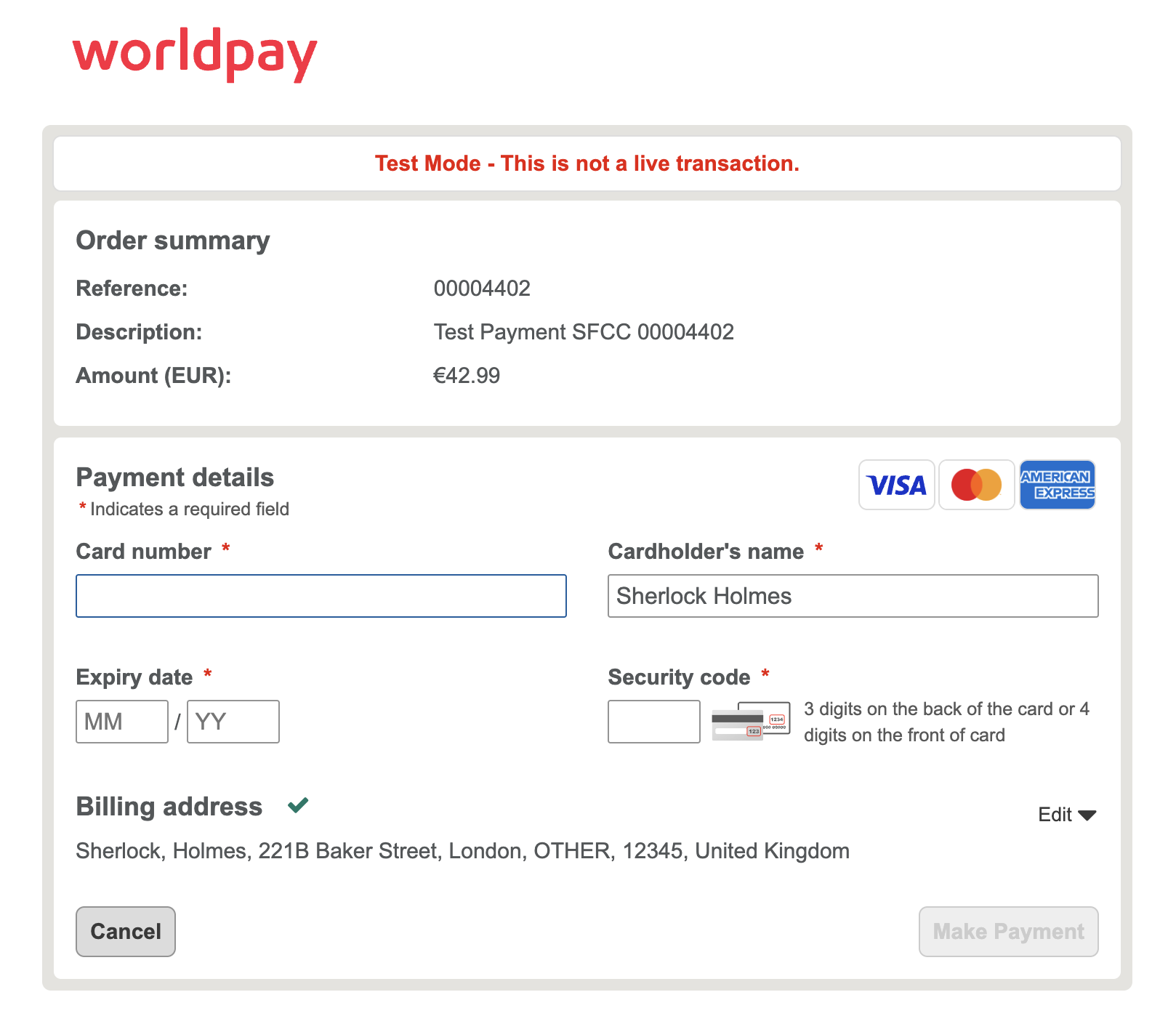
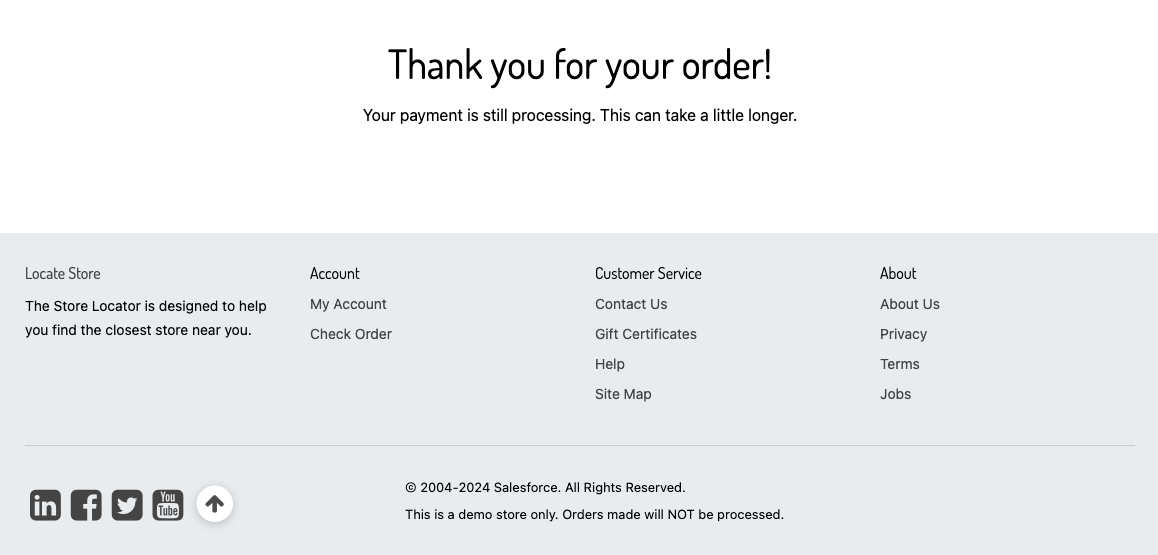
- They fill in their card details, click on "Make Payment" and are redirected to a processing page.
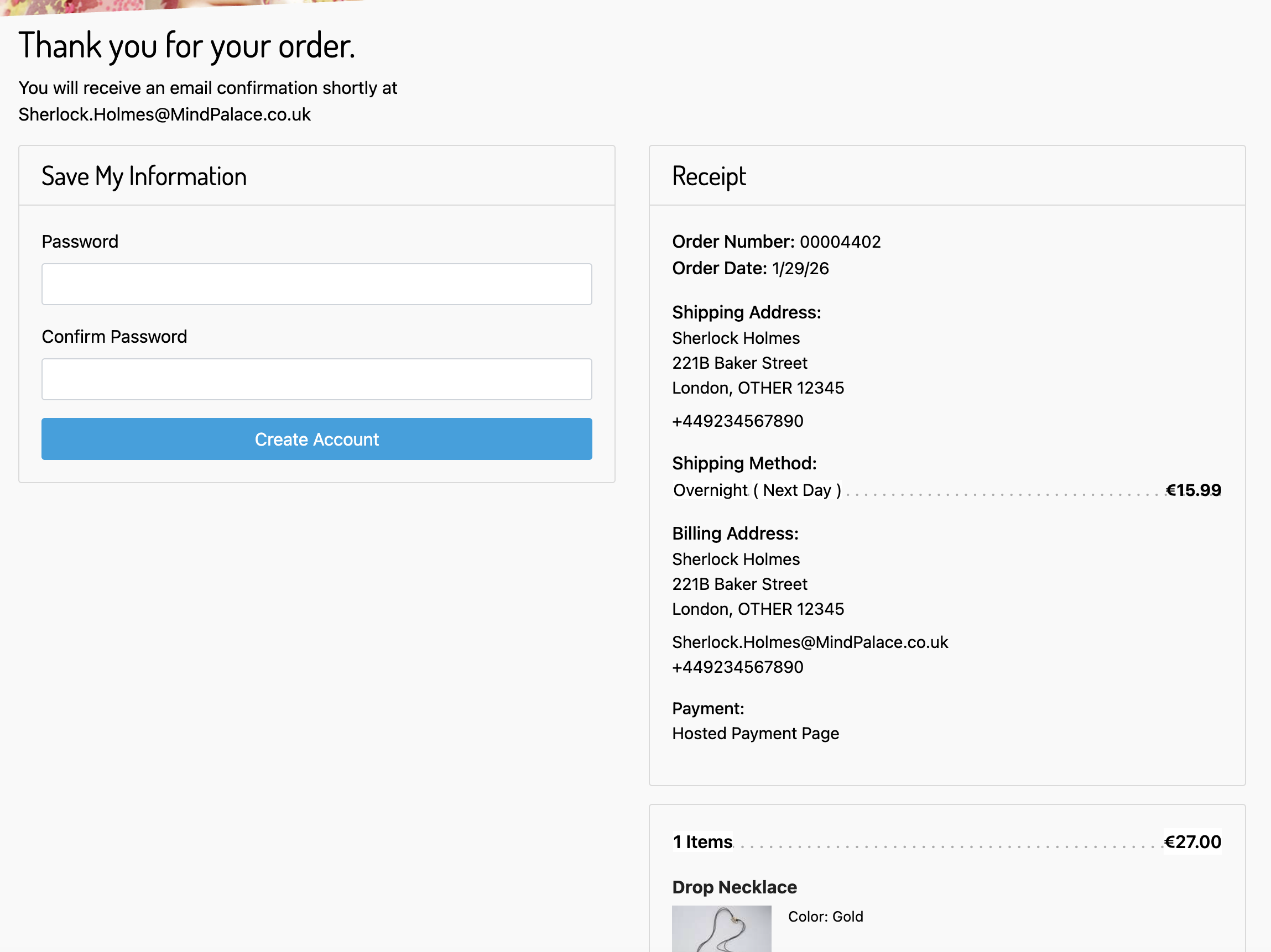
- Once the payment is processed, the order confirmation page is displayed.
You can allow your customer to save a card, if they create an account, by enabling the below custom preference in Business Manager. Go to Merchant Tools → Site Preferences → Custom Preferences and click "AWP-Core".

Please contact your Implementation Manager for more details.
- If this custom preference is enabled and your customer is logged in, the “Save payment details” option is displayed on the Hosted Payment Page.
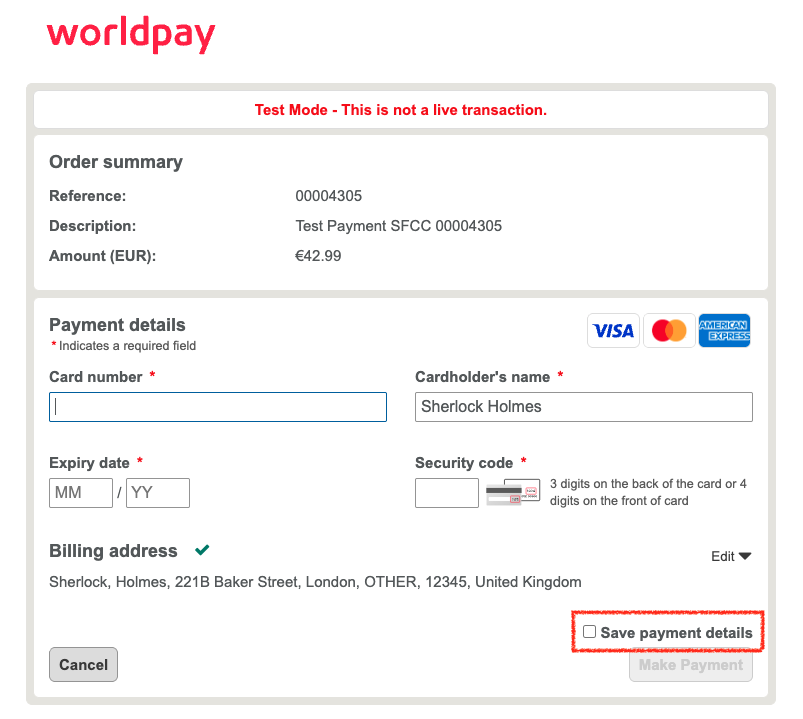
- If the checkbox is checked, a request is sent to us to create a token for your customer using their credit card. This is stored on their account.
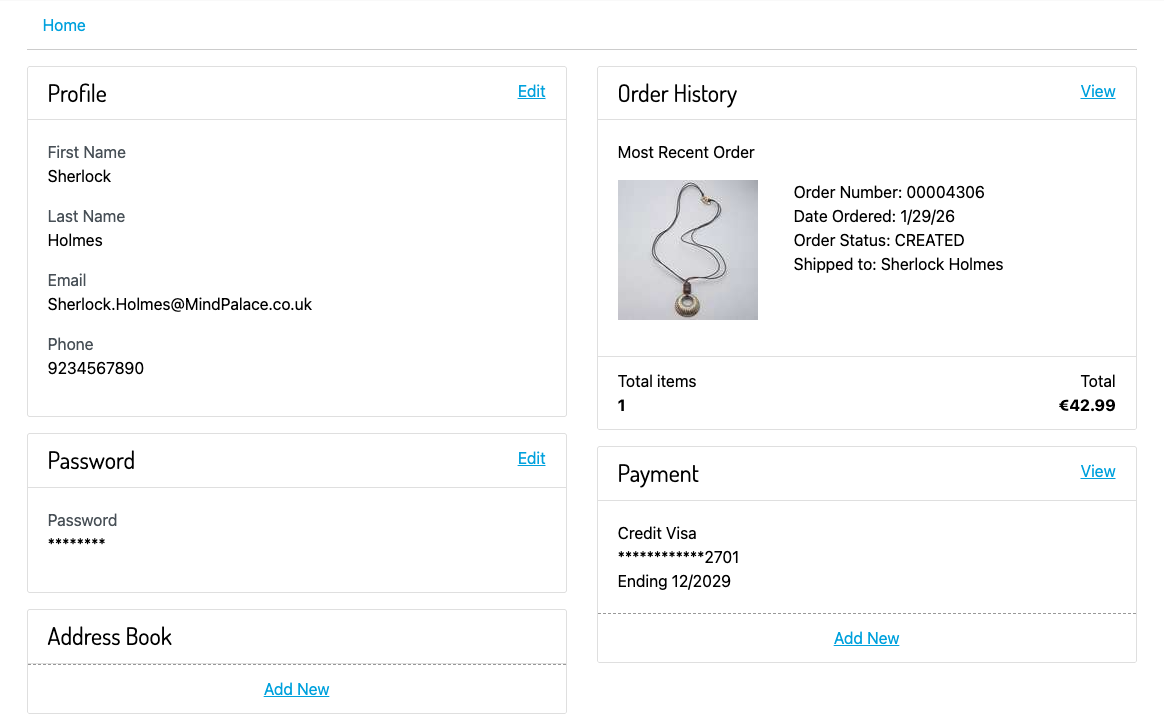
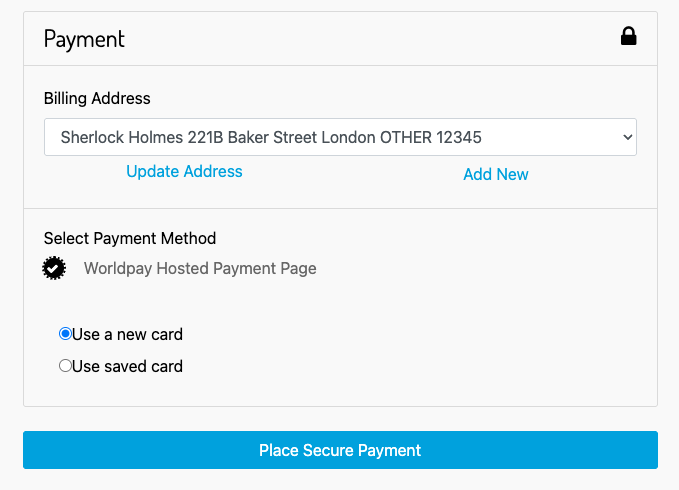
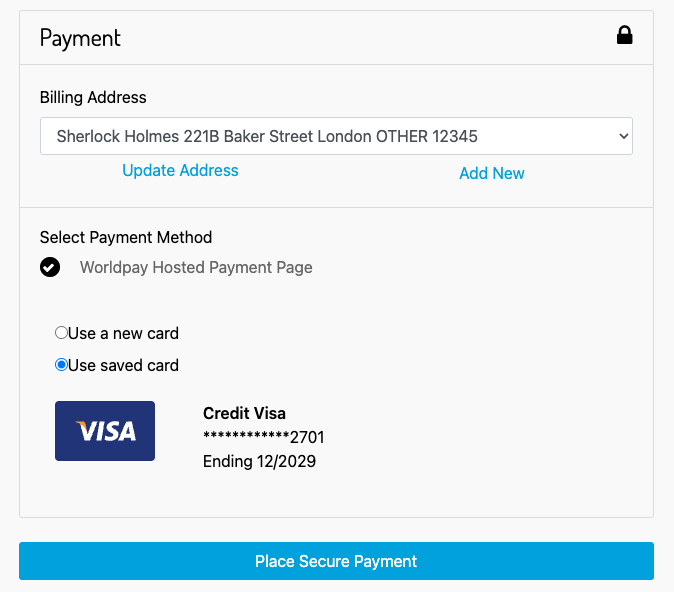
- If your customer already has a card token stored on their account it will be displayed on the checkout page. They will have the option to either use it or to use a new card.
- Your customer can choose to remove their stored card tokens from their account. Each token selected is deleted from Salesforce and a request is sent to us to delete it.